Mining With CPU
Yes, mining with your CPU is still a viable strategy, but there’s a huge catch. You absolutely must target specific ASIC-resistant cryptocurrencies. If you’re thinking about mining Bitcoin with your processor, you can stop right there—the real opportunity is in niche altcoins where your hardware can genuinely compete and turn a modest profit.
Is Mining With a CPU Still a Viable Strategy?
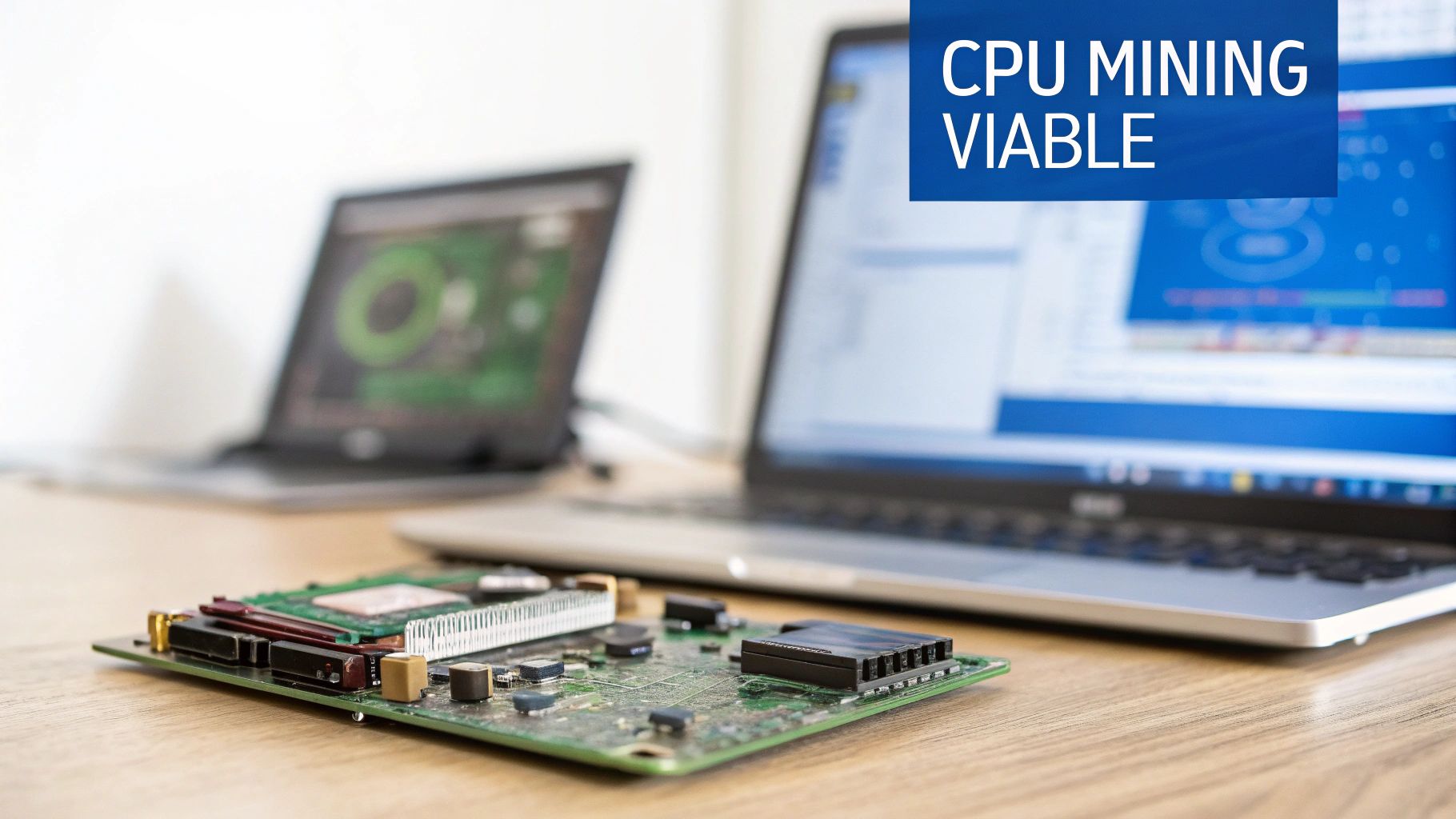
Let’s get the big question out of the way: can you actually make money mining crypto with your computer’s processor? The world of crypto mining has changed dramatically since the early days. For the big players like Bitcoin, the answer is a hard no.
That ship sailed for good back in the mid-2010s. By 2013, the arrival of mass-market Bitcoin ASICs (application-specific integrated circuits) completely bulldozed the CPU mining scene for major coins. These specialized machines delivered exponentially higher hash rates with far better energy efficiency, effectively pushing hobbyists and their CPUs out of the game and into altcoin niches.
But that doesn’t mean CPU mining is dead. It just evolved. The entire game now is about focusing on cryptocurrencies specifically engineered to be mined with consumer-grade hardware.
The Rise of ASIC-Resistant Coins
As a direct response to the centralization caused by massive ASIC farms, a new wave of cryptocurrencies emerged with ASIC-resistant algorithms. These algorithms are intentionally complex and memory-intensive, designed to neutralize the advantage of specialized hardware and level the playing field. This is where your CPU gets back in the game.
The best example of this is the RandomX algorithm, which is the engine behind Monero (XMR). RandomX is built to ensure that a modern processor is the most effective tool for the job. This design philosophy is all about keeping mining decentralized and accessible to everyday users, which is the whole point for many of these projects.
Setting Realistic Expectations
Before you fire up your miner, you need to ground your expectations in reality. Mining with a CPU is absolutely not a get-rich-quick scheme.
It’s better to think of it as:
- A Hobby: It’s a fantastic way to get hands-on experience with blockchain technology and support a decentralized network you believe in.
- A Small Passive Income: With a powerful, modern CPU and reasonably low electricity costs, you can generate a modest but consistent crypto stream.
- A Way to Acquire Crypto: For many, it’s a practical method to obtain cryptocurrency without going through an exchange.
The profitability of your operation will come down to your processor’s hashrate, what you pay for electricity (this is a big one), and the current market value of the coin you’re mining. You can run the numbers by using a good crypto mining profitability calculator to estimate potential earnings.
Key Takeaway: Success in modern CPU mining isn’t about raw power; it’s about smart coin selection. By targeting cryptocurrencies with ASIC-resistant algorithms, you can carve out a profitable niche where your hardware is not just relevant, but competitive.
To make this crystal clear, here’s a quick breakdown of where your CPU fits into the current mining landscape.
CPU Mining Viability at a Glance
This table sums up which types of cryptocurrencies are worth your time and which you should avoid entirely.
| Cryptocurrency Type | CPU Mining Feasibility | Underlying Reason |
|---|---|---|
| ASIC-Dominated Coins (e.g., Bitcoin) | Not Viable | The network difficulty is astronomical. Specialized ASIC hardware is millions of times more efficient, making it impossible to compete. |
| GPU-Favored Coins (e.g., Ethereum Classic) | Possible, but Not Ideal | While you can technically mine them, GPUs are significantly more efficient. You’ll struggle to turn a profit against them. |
| ASIC-Resistant Coins (e.g., Monero) | Highly Viable | The mining algorithm is intentionally designed to perform best on general-purpose CPUs, creating a truly level playing field. |
In short, your journey into CPU mining should start by completely ignoring the household names. The path to success is paved with coins that were built for hardware just like yours.
How to Find Profitable CPU-Friendly Coins
Choosing the right coin is easily the most critical decision you’ll make when jumping into CPU mining. Your success—or failure—hinges on picking a cryptocurrency that actually gives your processor a fighting chance. This means looking past the market hype and drilling down into the technical details that make a coin a good fit for your hardware.
A smart coin selection comes down to just a few core factors. You need to understand the mining algorithm, check real-time profitability based on price and network difficulty, and get a feel for the project’s community. Nailing this part is the difference between a fun, rewarding venture and just wasting electricity.
Focus on ASIC-Resistant Algorithms
The golden rule of CPU mining is simple: stick to ASIC-resistant algorithms. These are protocols intentionally designed to favor everyday CPUs by demanding lots of RAM and running complex instructions that specialized hardware just can’t handle efficiently.
The undisputed champion here is RandomX. As the algorithm behind Monero (XMR), it’s purpose-built to run best on the exact kind of processor you have in your desktop. By designing its proof-of-work to lean heavily on modern CPU architecture, RandomX effectively levels the playing field, sidelining powerful GPUs and ASICs. This keeps mining decentralized and accessible to almost anyone.
Monero’s core philosophy of privacy and equal access is directly tied to its commitment to ASIC resistance. It’s a design choice that ensures individuals, not massive corporate mining farms, are the ones securing the network.
Vetting Coins with Real-World Tools
Once you’ve got a shortlist of coins with CPU-friendly algorithms, it’s time to run the numbers. A coin’s profitability is never static; it’s constantly shifting with market price, total network hashrate, and block rewards.
To get a clear picture, you’ll need a couple of essential tools:
- Profitability Calculators: Websites like WhatToMine and 2CryptoCalc are non-negotiable. You can plug in your CPU model and electricity cost to get live estimates of what you can expect to earn across different coins.
- Mining Pool Explorers: Our own MiningPoolStats is a goldmine of data. You can track a coin’s total network hashrate (a good proxy for mining difficulty) and find active pools to join. For a more detailed breakdown, check out our guide on the most profitable crypto to mine.
Pro Tip: Don’t just chase today’s most profitable coin. Look at the hashrate and price charts over the past few weeks. A coin with a stable, growing hashrate signals a healthy network, which is often a much better long-term bet than something with wild, unpredictable swings.
Comparing Popular CPU-Mineable Coins
While Monero is the big name in the space, it’s far from the only option. Several other projects are perfectly viable for CPU miners, each with its own unique twist. The trick is finding one that aligns with both your hardware and your interests. To get you started, here’s a quick comparison of some of the leading contenders in the CPU mining world.
Comparing Popular CPU-Mineable Coins
This table offers a snapshot of a few leading cryptocurrencies that are well-suited for CPU mining, highlighting their core characteristics.
| Cryptocurrency (Ticker) | Algorithm | Core Feature | Best For Miners Seeking |
|---|---|---|---|
| Monero (XMR) | RandomX | The industry standard for private, untraceable transactions. | Stability, a large and established community, and consistent algorithm development. |
| Zano (ZANO) | ProgPoWz | A hybrid Proof-of-Work/Proof-of-Stake coin with a focus on privacy and e-commerce. | A project with a unique technical foundation and potential for future growth. |
| Haven Protocol (XHV) | RandomX | A private digital asset platform that allows users to create synthetic assets. | A more complex ecosystem with a focus on decentralized finance (DeFi) principles. |
| VerusCoin (VRSC) | VerusHash 2.2 | A 50% PoW / 50% PoS hybrid focused on public blockchains as a service (PBaaS). | A project that allows for both CPU mining and staking, offering multiple ways to participate. |
Ultimately, your best bet is a coin that balances immediate profitability with long-term potential. Use the calculators for your day-to-day decisions, but also invest some time in understanding a project’s mission and its community. A strong, active community is often the best sign of a coin’s future health, ensuring it will stick around long after you’ve mined your first block.
Configuring Your CPU Mining Rig and Software
Alright, you’ve picked a promising coin. Now it’s time to get your hands dirty and turn that theoretical profit into actual results. This is where we bridge the gap from research to reality, getting your machine set up and ready to mine.
We’ll be using XMRig for this walkthrough. It’s an open-source, high-performance miner that has pretty much become the go-to for RandomX coins like Monero. Its efficiency is top-notch, and the community support is solid. Even though the commands are specific to XMRig, the core concepts—grabbing the software, setting up a pool connection, and prepping your OS—are universal for just about any CPU miner you’ll encounter.
Step 1: Getting the Right Software
First things first: you need the miner itself. It is absolutely crucial that you download this only from the official source. The crypto world is full of sketchy downloads, and unofficial mining software is a classic way to get malware on your system.
- Head to the Official Source: Go directly to the official GitHub repository of XMRig. Don’t even think about using third-party download sites or random links from forums.
- Grab the Right Version: Find the latest stable release for your operating system (Windows, Linux, or macOS). If you’re on Windows, you’re probably looking for a
.zipfile named something likexmrig-msvc-win64.zip. - Extract the Files: Unzip the downloaded file into a dedicated folder. Keep things simple, like
C:XMRig, so everything is organized and easy to find later.
Once you open that folder, you’ll see a few files. The only two you need to care about right now are xmrig.exe (the program) and config.json (the settings file).
Step 2: Pre-Flight System Checks
Before you fire up that miner, a few quick system adjustments will save you a world of headaches. These small tasks prevent unexpected shutdowns and lost earnings. Don’t skip these steps.
- Update Your System and Drivers: Make sure your OS and all your drivers are current. CPU mining isn’t as sensitive to driver versions as GPU mining, but a stable system is a profitable system.
- Create Antivirus Exceptions: Antivirus software hates miners. It often flags them as a “Potentially Unwanted Program” (PUP) because they can be used maliciously. You’ll need to go into your security settings and manually create an exception for both the
xmrig.exefile and the entireC:XMRigfolder. Otherwise, your antivirus will likely quarantine it and stop you in your tracks. - Adjust Power and Sleep Settings: This one is a classic rookie mistake. Go into your operating system’s power settings and turn off all sleep, hibernate, and automatic screen-off timers. A computer that goes to sleep stops mining. Set your power plan to “High Performance” or “Ultimate Performance” to make sure the CPU is running at its full potential.
This whole discovery process—from algorithm to profitability to community—is what you do before you even get to this configuration stage.
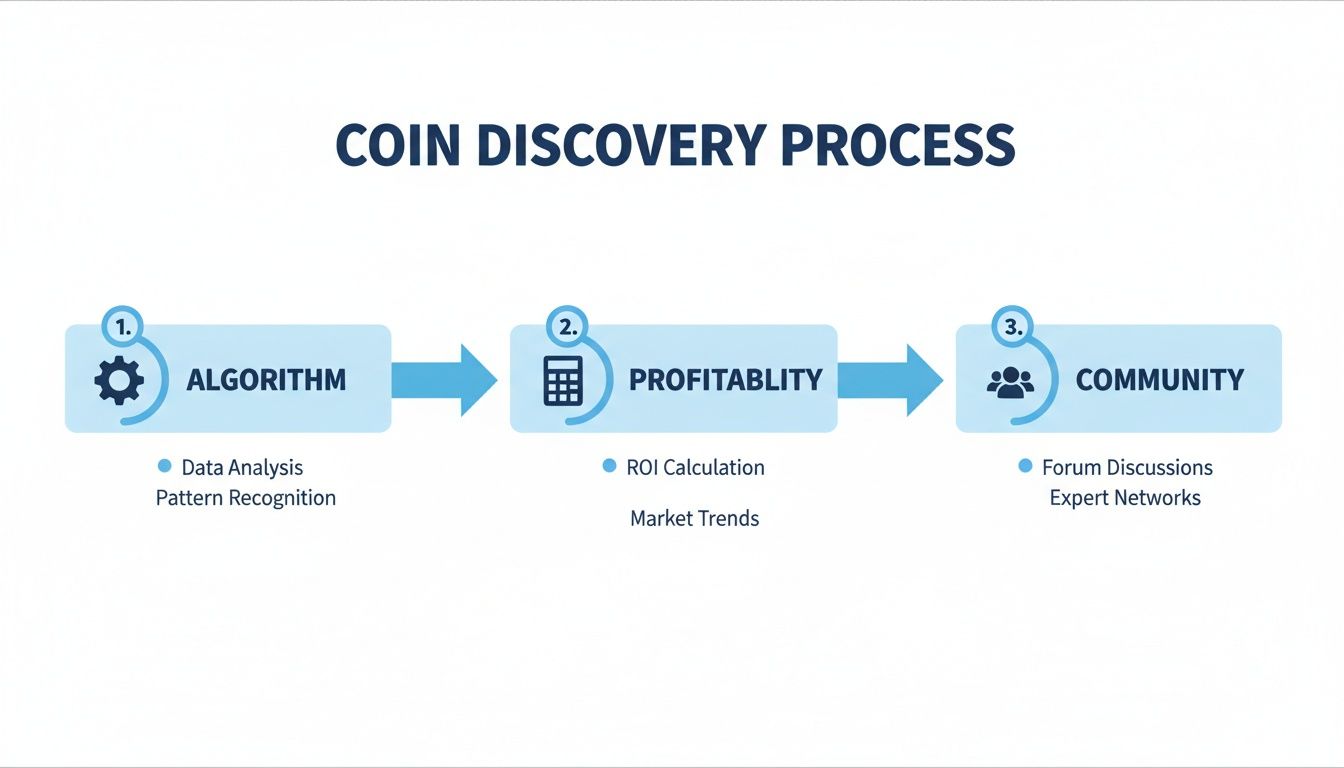
Think of that graphic as your strategic checklist. Solid research up front makes the technical setup much smoother.
Step 3: Crafting Your First Configuration
With the prep work done, it’s time to tell your miner what to do. You’ll do this by editing the config.json file with a simple text editor like Notepad.
The most important section by far is "pools". This is where you tell the software which mining pool to connect to. Mining pools let you combine your computing power with thousands of other miners, which smooths out your earnings and gives you much more frequent, predictable payouts than trying to go it alone.
Here’s a bare-bones example for mining Monero (XMR) on a popular pool.
{
    "autosave": true,
    "cpu": true,
    "opencl": false,
    "cuda": false,
    "pools": [
        {
            "algo": "rx/0",
            "coin": "monero",
            "url": "pool.supportxmr.com:443",
            "user": "YOUR_MONERO_WALLET_ADDRESS",
            "pass": "x",
            "tls": true,
            "keepalive": true
        }
    ]
}
Let’s quickly break down the lines you absolutely must get right:
"algo": This defines the mining algorithm. For Monero,"rx/0"is the tag for RandomX."url": This is the pool’s server address and port. Always copy this directly from the pool’s official “Getting Started” page to avoid errors."user": This is your Monero wallet address. Triple-check it. One wrong character and all your hard work will be sent to someone else, lost forever."pass": Most pools just require an"x"here. Some let you assign a worker name for better monitoring, like"MyRig:myemail@example.com"."tls": Setting this totrueencrypts your connection to the pool. It’s a simple security measure, and you should always enable it.
Once you’ve pasted in your wallet address and saved the config.json file, you’re ready to go. Just double-click xmrig.exe. A command window will pop up, connect to the pool, and start hashing. If you’d like a more detailed breakdown of how pools work, our guide on how to join a mining pool covers it all.
Key Takeaway: The configuration file is the brain of your operation. Spend an extra minute making absolutely sure your pool URL and wallet address are correct. It’s the single most important step in this whole process—a small typo here can mean you’re mining for free for someone else.
Optimizing Performance to Maximize Profitability
Getting your miner running is just the start. The real game begins when you start fine-tuning your setup to squeeze every last hash out of your hardware, efficiently. This is where you graduate from just participating to actually competing.
The difference between a hobbyist and someone turning a consistent profit often comes down to mastering these small but crucial optimizations. It’s less about owning the most powerful CPU and more about making your CPU work smarter, not harder. A few targeted tweaks can be the difference between breaking even and building a profitable operation.
The Easiest Hashrate Boost: Huge Pages
One of the single biggest performance wins, especially for the RandomX algorithm, comes from enabling Huge Pages. Think of this as a memory management shortcut for your processor. It lets the CPU handle larger, more efficient blocks of memory, drastically cutting down the time it spends looking up data.
For a memory-hungry algorithm like RandomX, this is a game-changer. Simply enabling Huge Pages can boost your hashrate by 20-30% or even more. Most good mining software like XMRig will try to enable it for you, but operating systems can be stubborn.
You might need to give it a nudge yourself:
- On Windows: This usually means granting your user account “Lock pages in memory” permissions and then rebooting your machine.
- On Linux: A quick terminal command is often all it takes. For example:
sudo sysctl -w vm.nr_hugepages=1280.
Mining without Huge Pages enabled is like trying to run a marathon in flip-flops. You’re leaving a massive amount of performance on the table for no good reason.
My Experience: I’ve personally seen rigs go from being barely profitable to earning a respectable daily income just by getting Huge Pages configured correctly. It is, without a doubt, the lowest-hanging fruit for any serious CPU miner.
Advanced Tweaks: Core Affinity and Memory Timings
Ready to go a bit deeper? You can eke out even more performance by telling your miner exactly which CPU cores to use. This is called setting CPU core affinity, and it stops the mining process from jumping between cores and fighting with your operating system for resources.
By dedicating specific cores just for mining, you ensure they stay fully loaded and focused on hashing. For instance, on a 12-core CPU, you might assign 10 cores to the miner and leave two free for Windows or Linux to do its thing. The result is a more stable, and often slightly higher, hashrate.
For the real enthusiasts out there, fine-tuning your RAM timings in the BIOS/UEFI can also give you a small but measurable bump. RandomX is very sensitive to memory latency, so tightening up those timings can improve performance. It’s an advanced move, but it shows how every piece of your hardware contributes to the final result.
The Profitability Equation: Power and Heat
Raw hashrate is only half the story. The other, arguably more important, half is efficiency. Your biggest ongoing costs will be power consumption and dealing with the heat it generates. Nail this, and you’re on the path to maximizing net profit.
This is where undervolting becomes your best friend. Undervolting is the art of lowering the voltage your CPU receives without sacrificing its clock speed. Manufacturers usually ship CPUs with a slightly higher-than-needed voltage to guarantee stability. By carefully tweaking this down, you can slash power consumption and heat output with almost no impact on performance.
The goal is to find that “sweet spot”—the lowest possible voltage that remains stable at your desired clock speed. This dramatically improves your hashes-per-watt, the ultimate metric for an efficient mining rig. A cooler CPU is also a happier, longer-lasting CPU.
Your local energy cost is the ultimate factor that determines if CPU mining is truly profitable. This is precisely why large-scale mining operations are concentrated in regions with cheap electricity. As market analyses reveal, North America has become a hotspot for crypto mining because operators can secure favorable power rates. If you want to dive deeper into these market dynamics, the report on the global cryptocurrency mining market from Coherent Market Insights offers some great perspective.
To see how this plays out, let’s compare a few scenarios for a typical modern CPU.
| Tweak Applied | Power Draw | Temperature | Hashrate | Profitability Impact |
|---|---|---|---|---|
| Stock Settings | High (e.g., 125W) | High (e.g., 85°C) | Baseline | Moderate; high electricity costs can easily wipe out profits. |
| Overclocked | Very High (e.g., 150W+) | Very High (e.g., 95°C+) | ~5-10% Increase | Often negative; the extra power cost almost always outweighs the hashrate gain. |
| Undervolted | Low (e.g., 90W) | Low (e.g., 70°C) | ~0-2% Decrease | Positive; significantly lower power bills directly boost your net profit. |
As you can see, chasing peak hashrate with overclocking is usually a fool’s errand. The smart money is always on efficiency. Combine core optimizations like Huge Pages with a carefully undervolted CPU, and you’ll build a lean, mean, and profitable mining machine.
Keeping Your Miner in Check: Monitoring and Troubleshooting
Getting your miner up and running feels like crossing the finish line, but in reality, it’s just the start of the race. The real name of the game in CPU mining is maintaining stable, consistent performance. If you just set it and forget it, you’re practically guaranteed to waste electricity and miss out on potential earnings. You’ve got to keep a close watch on your rig to make sure it’s humming along nicely and be ready to jump on any issues that pop up.
The best way to do this is by looking at two key places: the output from your miner software and the dashboard on your mining pool’s website. Together, they give you the full story on your rig’s health, from the nitty-gritty details of your CPU’s performance to the bigger picture of how your work is paying off.
What Your Miner’s Console is Telling You
Once your miner is running, you’ll see a console window spitting out a constant stream of text. It might look like gibberish at first, but this is where you’ll find the most critical, real-time data about your mining operation.
You don’t need to understand every single line, but you absolutely need to keep an eye on these metrics:
- Hashrate: This is your rig’s horsepower, usually measured in hashes per second (H/s) or kilohashes per second (kH/s). This number should stay fairly consistent. If you see it suddenly tank, that’s your first big red flag that something’s off.
- Accepted Shares: This is the good stuff. Seeing a steady stream of “accepted” shares means the pool is getting your work and you’re on your way to earning.
- Rejected or Invalid Shares: A single rejected share here and there is no big deal. But if you start seeing a high percentage—anything over 2-3%—it’s time to investigate. This could be anything from a shaky internet connection to a CPU overclock that’s just a little too ambitious.
- Error Messages: Any text that’s colored red or literally says “error” needs your immediate attention. These often point to problems connecting to the pool (like “socket error” or “connection refused”) or a hardware hiccup.
Think of this console as your rig’s EKG. Learning to read its rhythm helps you catch problems like your CPU getting too hot or your network dropping out before they can really hurt your bottom line.
Checking In With Your Mining Pool Dashboard
While the console gives you a live play-by-play, your pool’s dashboard shows you the scoreboard. Give it about 15-30 minutes after you start mining, then log in to your pool’s site with your wallet address to make sure everything looks right.
This dashboard is where you’ll see your performance tracked over time—your average hashrate, how many shares you’ve submitted, and what you can expect to earn. It’s the ultimate proof that the work your rig is doing is actually being credited to you. A classic sign of trouble is seeing a fantastic hashrate in your miner’s console, but a much lower one reported on the pool’s dashboard. That usually points straight to a connection or configuration problem.
My Two Cents: Your miner console and your pool dashboard are two sides of the same coin. The console is for instant, second-by-second diagnostics. The dashboard is for tracking your long-term stability and earnings. You need both to be successful.
A No-Nonsense Troubleshooting Guide
Look, every miner runs into trouble eventually. It’s just part of the process. Instead of getting frustrated, it’s better to have a methodical way to figure out what’s wrong. Here’s a quick-and-dirty checklist for the most common issues you’ll face.
| Problem | Likely Suspect | What to Do About It |
|---|---|---|
| Miner Crashes or Won’t Start | Your Antivirus is interfering. | Go into your security software and create an exception for your miner’s folder and the executable file. |
| Hashrate Suddenly Drops | Your CPU is overheating (thermal throttling). | Fire up a monitoring tool to check CPU temps. If they’re consistently over 85°C, you need to improve your cooling or dial back your overclock/voltage settings. |
| High Number of Rejected Shares | Your network connection is laggy or unstable. | First, make sure your internet is solid. Then, try switching to a pool server that’s physically closer to you to lower your ping. |
| Can’t Connect to the Pool | You’ve got a typo in your config file. | Meticulously double-check the pool URL, port number, and your wallet address in your config. One wrong character is all it takes to break the connection. |
By working through these steps systematically, you can solve the vast majority of problems that will come your way. This kind of proactive troubleshooting is what keeps your rig online, stable, and earning smoothly.
CPU Mining FAQ: Your Questions Answered
Let’s dig into some of the questions I hear all the time from people just getting started with CPU mining. These are the practical, real-world answers you need to get your head around the realities of this hobby.
What’s the best coin to mine with my CPU right now?
This is the million-dollar question, and the answer changes constantly. Profitability is a moving target, dictated by coin price and network difficulty. That said, coins built on the RandomX algorithm are almost always your best bet.
Monero (XMR) is the most famous example. RandomX was specifically created to keep CPUs competitive and shut out powerful GPUs and ASICs. This focus on egalitarian mining levels the playing field for people like us.
But to know what’s most profitable for you today, you absolutely need to use a real-time profitability calculator. Plug in your CPU model (like a Ryzen 9 7950X) and your electricity cost, and it will spit out a current list of the most lucrative coins to point your hardware at.
Is CPU mining going to fry my computer?
Short answer: no, not if you’re smart about it. The mining process itself isn’t what hurts your CPU. The real enemy is heat. Running a CPU at 100% load for weeks on end generates a ton of it, and if you don’t manage that heat, you’re asking for trouble.
Think of it this way: running a marathon doesn’t inherently destroy your body, but doing it without proper hydration and pacing certainly could.
As long as you have a decent cooling solution and keep your temperatures in a safe range—I always aim to stay below 85°C—the risk is incredibly low. Modern processors are also packed with thermal protections that will automatically slow down or shut off to prevent damage. Just keep an eye on your temps, and your CPU will be fine.
My Take: The real danger isn’t mining; it’s neglect. A good aftermarket cooler isn’t an expense, it’s an insurance policy for your hardware’s lifespan.
Realistically, how much can I make with a single CPU?
Let’s set expectations straight: you’re not going to get rich mining on one CPU. It’s best to think of this as a hobby that pays for itself, generates a little extra pocket money, and lets you support a project you find interesting.
Your actual earnings will swing wildly based on a few key things:
- Your CPU’s Muscle: A brand-new AMD Ryzen 9 has exponentially more hashing power than an old Intel i5 from five years ago.
- Your Power Bill: This is the silent killer of profitability. What’s profitable for someone with cheap electricity might be a money-loser for you.
- The Crypto Market: The dollar value of the coin you’re mining can double or get cut in half overnight.
On a typical day, a modern, high-end CPU might net you anywhere from $0.25 to $1.50 after power costs. Before you even think about starting, fire up a profitability calculator to get an estimate tailored to your specific situation.
Can I use my computer for other things while CPU mining?
Technically, yes, but you’ll feel the performance hit. Since mining aims to use 100% of your CPU’s available power, everyday tasks like browsing the web or watching videos will become noticeably slower. Heavy tasks like gaming or video editing will be nearly impossible.
A common strategy is to let the miner run at full blast when you’re away from the computer or asleep. Some mining software also allows you to limit the number of CPU threads it uses, leaving some processing power free for other activities, though this will reduce your mining rewards.
Is mining on a laptop a good idea?
Generally, mining on a laptop is not recommended for the long term. Laptops are designed with tight, compact chassis that are not built to handle the sustained, high heat output from 24/7 mining. While you can do it, you risk shortening the lifespan of your laptop’s components due to the constant thermal stress. If you decide to try it, make sure the laptop has excellent airflow and consider using an external cooling pad. Desktop PCs with their superior cooling capabilities are a much safer and more effective choice.