Top 7 Tools to Find the Most Profitable Crypto to Mine
Uncovering Profit Potential: Why This Matters
Mining profitability fluctuates with hardware efficiency, electricity cost, and network variables such as hash rate and block rewards. Selecting the right tracking platform can mean the difference between breakeven and consistent profit. This analytical listicle exposes seven top resources for identifying the most profitable crypto to mine, complete with screenshots and direct links for swift setup.
In this guide, you will:
- Analyze per-coin profitability estimates by ASIC and GPU hardware, adjusted for power consumption
- Compare mining pools with clear fee breakdowns and payout frequency
- Explore ROI examples under current market conditions, including low and high difficulty scenarios
- Understand risk factors like pending halvings, network difficulty swings, and price volatility
- Get a concise FAQ and actionable checklist to streamline your next mining campaign
We cover these platforms:
- WhatToMine – granular profitability calculator
- NiceHash – instant hashing power marketplace
- minerstat – remote monitoring and automation suite
- CoinWarz – real-time mining profitability dashboard
- ASIC Miner Value – hardware ROI projections
- Amazon (U.S.) – hardware pricing and availability
- Newegg (U.S.) – competitor pricing and bundle deals
Each platform review includes:
- Comparison tables to highlight core features and subscription models
- Step-by-step screenshots for seamless configuration
- Direct links for quick access and sign-up
This walkthrough is designed for:
- Individual miners seeking stable, predictable payouts
- Mining farm operators and data center managers optimizing margins
- New miners needing clear guidance on coin selection, costs, and pools
- Crypto analysts and developers integrating pool stats into dashboards
Skip guesswork and start mining smarter today. Dive into our data-driven comparison to uncover which tool matches your hardware profile and budget, and identify the most profitable crypto to mine with confidence.
1. WhatToMine
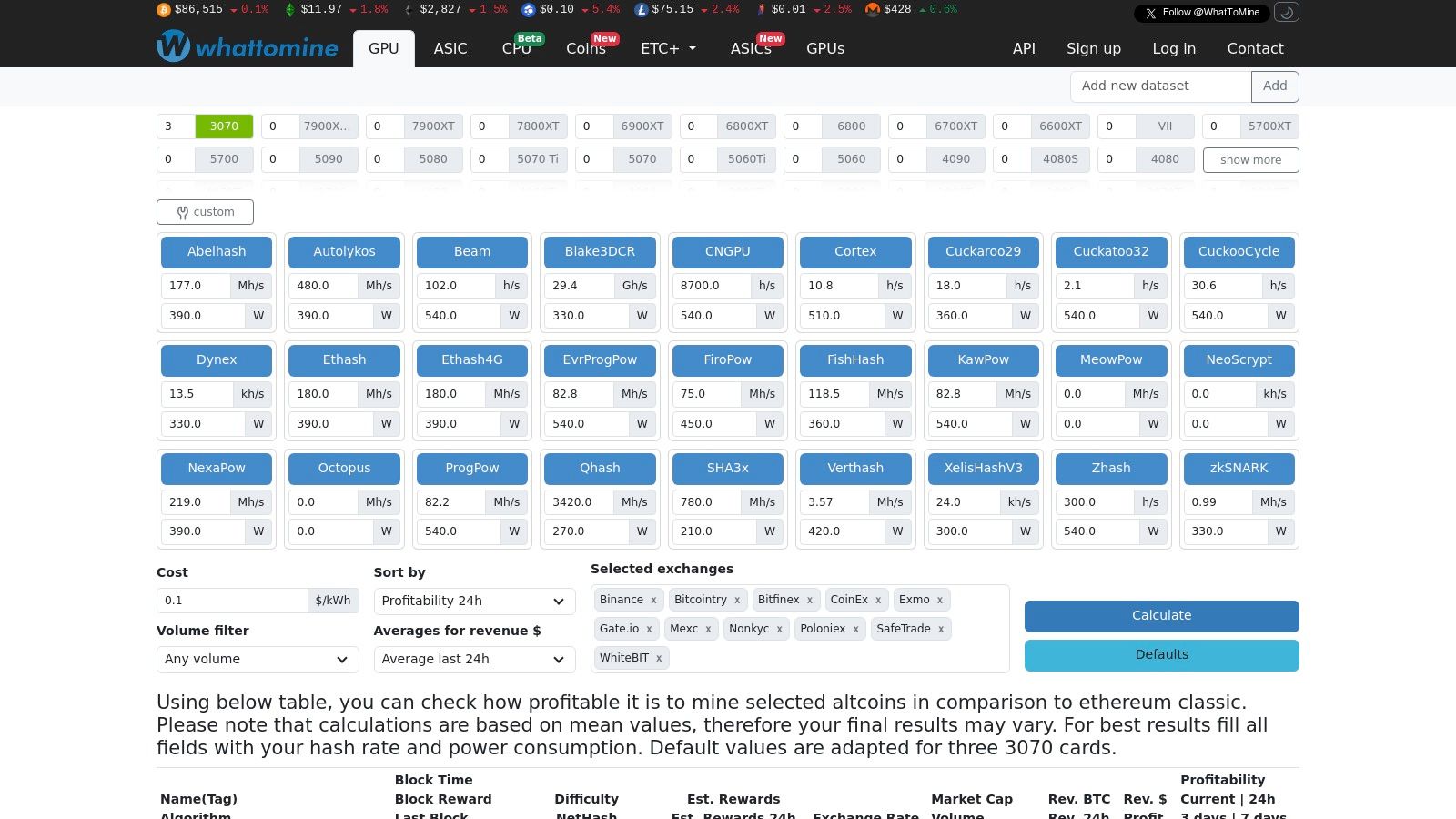
WhatToMine is the go-to data-driven platform for GPU and ASIC miners seeking real-time profitability insights. Its transparent inputs and customizable calculator make it stand out among “most profitable crypto to mine” tools.
Overview
WhatToMine provides a dashboard of hundreds of coins and algorithms, ranked by estimated revenue and net profit. Users can enter their hashrate, power draw, and electricity cost to receive personalized results. Filters smooth out spikes by averaging revenue over 1 hour, 24 hours, 3 days, or 7 days.
Learn more about WhatToMine’s mining profitability calculator on miningpoolstats.net
Key Features
| Feature | Description |
|---|---|
| Real-Time Profit Tables | View top options for ASICs or GPUs in live order |
| Custom Inputs | Adjust hashrate, Watts, and $/kWh to match your hardware profile |
| Volume & Liquidity Filter | Exclude low-volume coins to avoid liquidity or pump-dump risks |
| Exchange Price Sources | Choose from multiple exchanges for price accuracy |
Pricing and Access
- Free Tier: Access to full calculators and tables with ads
- Ad-Free Subscription: $5 per month unlocks a cleaner interface and saves time
No downloads or API keys are required. All functionality is browser-based and instantly available.
Pros and Cons
Pros
- Broad Coverage: Hundreds of coins, multiple algorithms
- Transparency: Shows exact formulas and data sources
- Customization: Tailor inputs to your farm’s specs
Cons
- Snapshot Estimates: Sudden price or difficulty changes can affect earnings
- No Direct Pool Integration: Requires manual pool selection
- Ads in Free Version: May slow initial loading
Practical Tips for Effective Use
- Lock-in Average Prices: Use the 3-day or 7-day filter to avoid misleading hourly spikes.
- Test Multiple Algorithms: Even within one coin, hash-algorithm variants can differ in profitability.
- Batch Inputs: Save profiles for different GPU models or ASIC brands to compare side by side.
- Check Exchange Spread: Match WhatToMine’s exchange choice with your withdrawal platform to reduce slippage.
Key Insight: Consistently update your inputs after any hardware upgrade or electricity rate change to keep profitability estimates precise.
Conclusion:
WhatToMine deserves its #1 spot for delivering granular, real-time profitability metrics that adjust to individual miner profiles. Its combination of breadth, transparency, and customization makes it the definitive baseline for anyone ranking the most profitable crypto to mine.
2. NiceHash
NiceHash is an all-in-one mining marketplace and software suite that connects miners with buyers of hashpower. It offers an integrated profitability calculator, auto-switching miner software, and a live hashrate exchange so users can chase the most profitable crypto to mine with minimal manual effort.

Overview
NiceHash lets you plug in any CPU, GPU, or ASIC and immediately see which coin or algorithm will pay out the most based on real-time marketplace demand. You can choose to mine directly to a pool or sell your hashrate to buyers on NiceHash’s exchange. Payouts settle in Bitcoin, giving you a single currency to track regardless of the underlying coin.
Learn more at https://www.nicehash.com
Key Features
| Feature | Description |
|---|---|
| Web Profitability Calculator | Enter your hardware specs or auto-detect to get live revenue estimates |
| Auto-Switching Miner | Desktop app that shifts algorithms when profitability changes |
| Hashrate Marketplace | Sell mining power at bid/ask prices set by market participants |
| Transparent Fees & Payouts | Buyer fee ~3%, seller fee ~2%, payouts standardized in BTC with hourly settlement |
Pricing and Access
- Account Creation: Free, requires email verification and basic KYC for withdrawals
- Marketplace Fees: 2% on sold hashrate, 3% on purchased contracts
- Software: Browser-based dashboard and Windows/Linux/macOS miner clients
- Availability: Global, with geo-restricted regions (see website for updates)
No specialized hardware purchases, no subscription. All tools are immediately accessible after sign-up.
Pros and Cons
Pros
- Beginner-Friendly: Easy setup with auto-detect hardware and one-click mining
- Dynamic Profitability: Immediate shifts to the most lucrative algorithm
- Large User Base: Deep order books for stable payouts
Cons
- Estimate Variance: Calculator rates can diverge from real results if your tuning differs
- Fee Impact: Marketplace fees can trim small-margin algorithms
- BTC Payout Only: Requires on-exchange conversion to diversify holdings
Practical Tips for Effective Use
- Benchmark each GPU/ASIC to fine-tune hashrate and power settings in the calculator.
- Place “minimum price” sell orders on the marketplace to avoid downtime during demand dips.
- Keep the NiceHash miner updated to leverage performance boosts and security patches.
- Monitor 24h profitability heatmaps to anticipate algorithm shifts before they occur.
Key Insight: Always recalibrate your hardware profile in NiceHash’s calculator after driver updates or overclocking tweaks to maintain accurate profitability forecasts.
Conclusion:
NiceHash stands out for its seamless integration of a live hashrate marketplace, auto-switching miner, and transparent fees. For miners seeking predictable BTC payouts without micromanaging multiple pools, NiceHash ranks high in the hunt for the most profitable crypto to mine.
3. minerstat
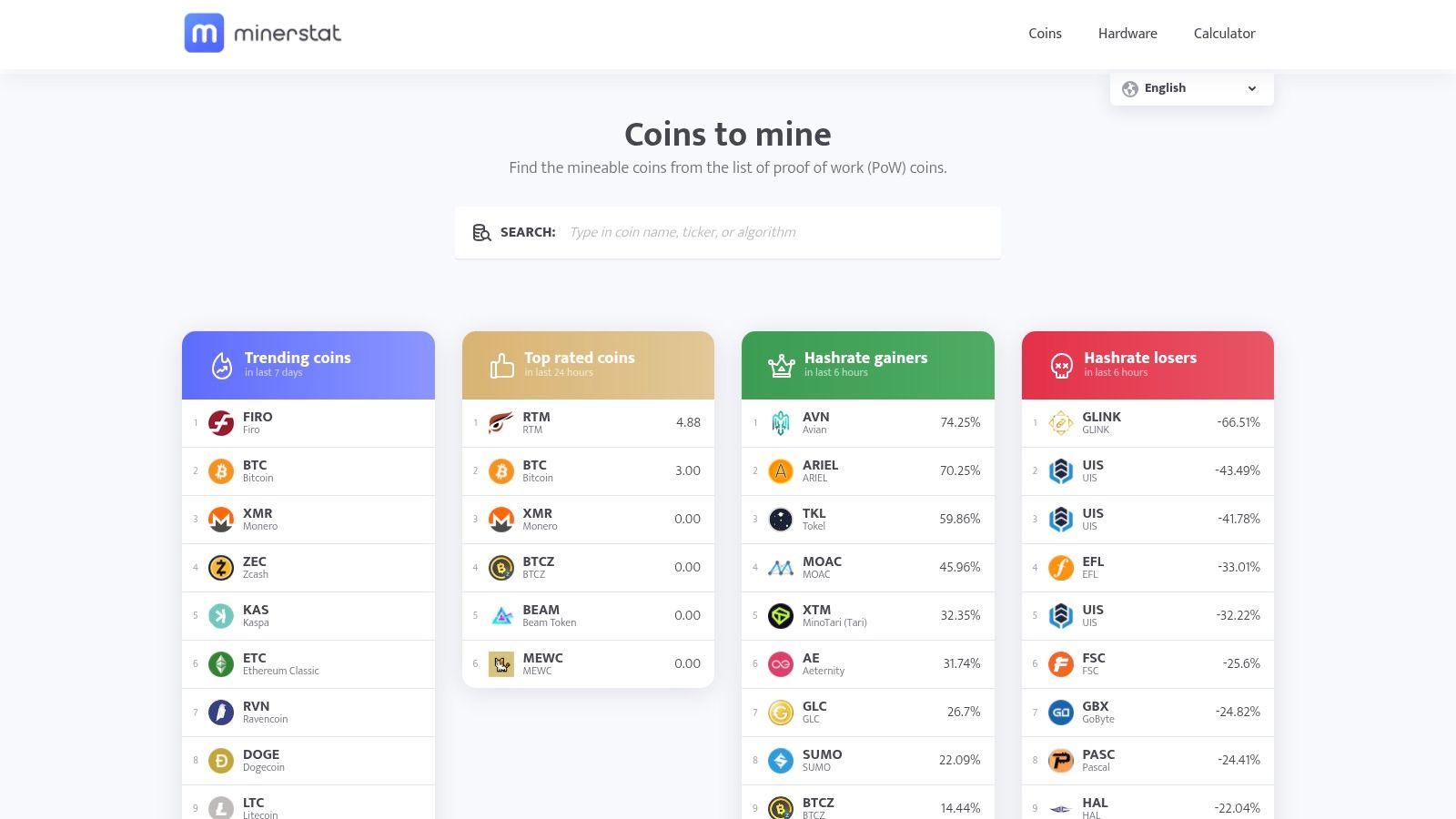
minerstat is a professional mining management suite with a robust profitability calculator and automated profit-switch logic across more than 250 coins and algorithms. Its combination of farm monitoring, benchmarking tools, and a dedicated mining OS makes it a top choice for miners aiming to identify the most profitable crypto to mine while optimizing uptime.
Overview
minerstat delivers real-time and historical profitability stats using median and average reward views over 3h, 6h, 12h, 1d, and 3d windows. Its Profit Switch feature automatically rotates your rigs to the highest-earning coin or pool based on custom rules. With support for Windows and its own msOS, minerstat centralizes fleet management and benchmarking under one dashboard.
Learn more about minerstat on miningpoolstats.net: minerstat on miningpoolstats.net
Key Features
| Feature | Description |
|---|---|
| Profitability Calculator | Compare projected revenue over multiple time windows to avoid one-hour spikes |
| Profit Switch Logic | Auto-rotate devices between coins/pools based on user-defined thresholds |
| msOS and Windows Support | Deploy a purpose-built OS or Windows client across mixed GPU and ASIC fleets |
| Fleet Monitoring & Benchmark | Track hashrates, temperatures, and stability metrics in real time |
| Tag Filters | Flag low-volume coins, price spikes, or unrealistic pool quotes |
Pricing and Access
- Free Plan: Access to mining monitoring, basic profitability views, and benchmarking tools
- Pro Plan: $5 per worker/month unlocks full Profit Switch, msOS updates, alerts, and advanced tags
- Enterprise: Custom quotes for large farms, dedicated support, and API integration
All tiers are browser-based; no downloads beyond msOS are required. A valid email and worker registration enable immediate access.
Pros and Cons
Pros
- Time-Window Insights: Median/average rewards smooth out volatility
- Automated Switching: Hands-off profit optimization across algorithms
- Mixed Fleet Support: Works seamlessly with NVIDIA, AMD, and major ASIC hardware
Cons
- Steep Learning Curve: Advanced features require configuration
- Paid Features: Some management tools locked behind Pro tier
- Email Registration: Extra step before live data
Practical Tips for Effective Use
- Configure multiple time-window views to compare 3h and 3d averages before switching rigs.
- Build Profit Switch rules that prioritize coin stability and pool fee structures.
- Use tags to exclude pools with low liquidity or abnormal reward spikes.
- Schedule regular benchmarks after driver or firmware updates to maintain accurate projections.
Key Insight: Consistently use median reward windows to avoid chasing short-term spikes and secure stable mining returns.
Conclusion:
minerstat secures its #3 spot by combining deep profitability analytics with automated switching, fleet management, and benchmarking. Its transparent, time-windowed methodology helps both individual miners and large-scale operations pinpoint the most profitable crypto to mine and maintain predictable payouts.
4. CoinWarz
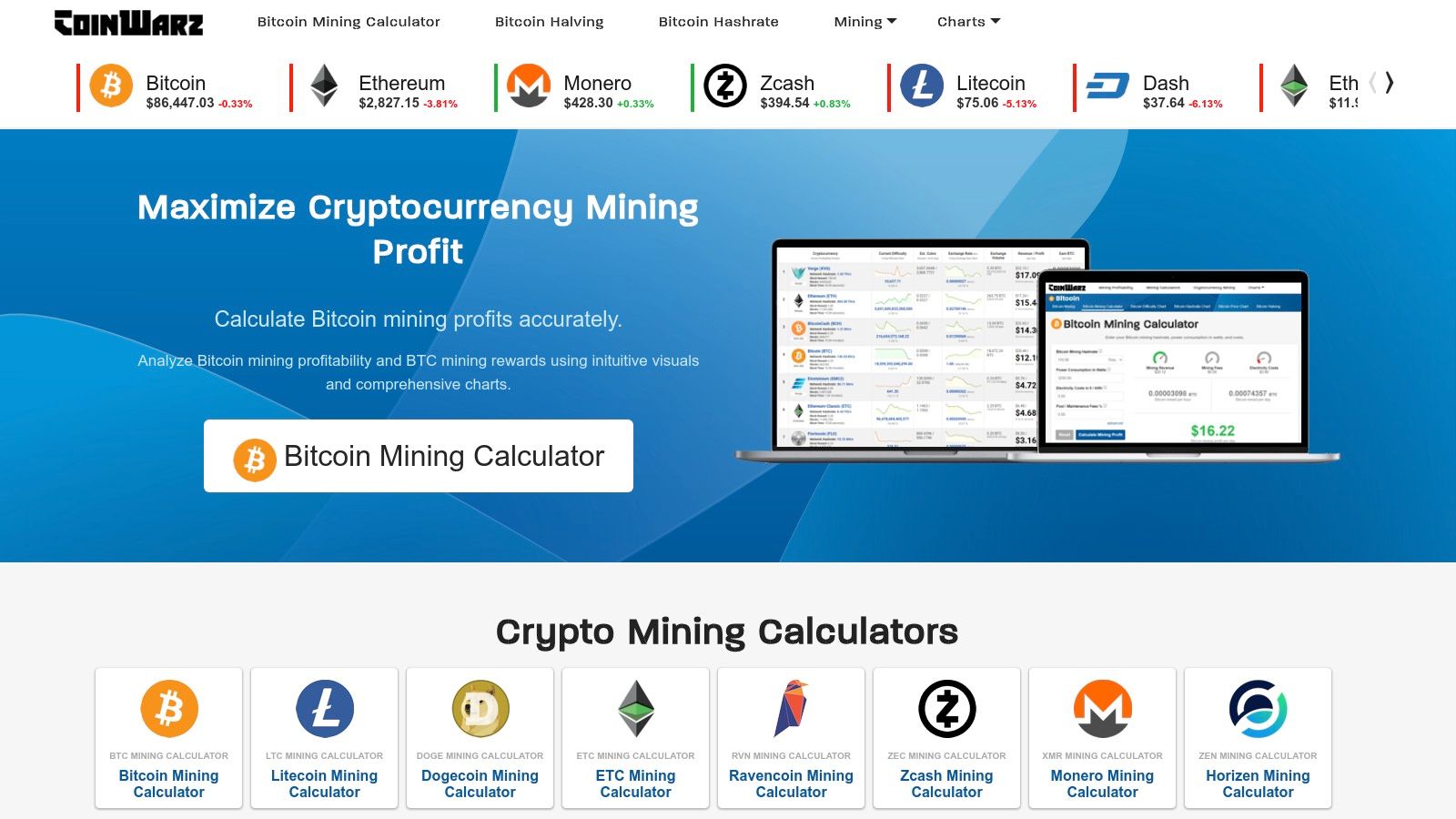
CoinWarz offers an all-in-one profitability calculator suite for GPU and ASIC miners evaluating the most profitable crypto to mine. Its per-coin pages combine live metrics—price, difficulty, revenue estimates, electricity costs—with detailed miner hardware specs for informed ROI planning.
Overview
CoinWarz aggregates real-time data for over 100 mineable coins and mining algorithms. Each coin page displays:
- Current network difficulty and block reward
- Revenue estimates per day, week, month, and year
- Electricity cost calculator based on your $/kWh and power draw
For Bitcoin and major ASIC coins, CoinWarz also lists popular miner models, showing hashrate, watts, efficiency (J/TH), and MSRP. This ties profitability directly to concrete hardware options.
Learn more at the official CoinWarz site: https://www.coinwarz.com
Key Features
| Feature | Description |
|---|---|
| Per-Coin Profitability Calculator | Customize hashrate, power, and electricity cost for precise estimates |
| Hardware Database | View ASIC model specs, efficiency, and retail price for ROI analysis |
| Volatility & Fee Disclaimers | Inline notes on price swings, difficulty shifts, and pool fees |
| Quick Scenario Testing | Toggle timeframes to compare daily, weekly, monthly profits |
Pricing and Access
- Free Access: Full calculators, hardware listings, and disclaimers without registration
- No Subscription: All tools remain browser-based with zero paywalls
- API Access: Available on request for integration into third-party dashboards
Pros and Cons
Pros
- Hardware Tie-In: Direct link between coin profitability and miner models
- Simple Interface: Fast ‘what-if’ toggles for timeframes and cost inputs
- Comprehensive Data: Live difficulty, price, and reward metrics in one place
Cons
- No Auto-Switching: Lacks built-in mining pool management or algorithm switching
- No Purchase Links: Does not sell hardware or connect to e-commerce partners
- Basic Design: Minimal charting and no advanced visual analytics
Practical Tips for Effective Use
- Save your electricity rate and power draw profile to avoid re-entering values.
- Compare profit projections over 7-day and 30-day windows to average out spikes.
- Use the hardware database to match ASIC efficiency against local electricity costs.
- Factor in pool fees (1–2%) and possible downtime when estimating net revenue.
Key Insight: Regularly update difficulty and price inputs before each mining cycle to keep “most profitable crypto to mine” estimates accurate.
Conclusion:
CoinWarz earns its spot at #4 by marrying profitability calculators with a hardware reference library. Its clarity and focus on actionable ROI data help miners—from hobbyists to data center managers—quickly identify and validate the most profitable crypto to mine using their specific equipment and cost structure.
5. ASIC Miner Value
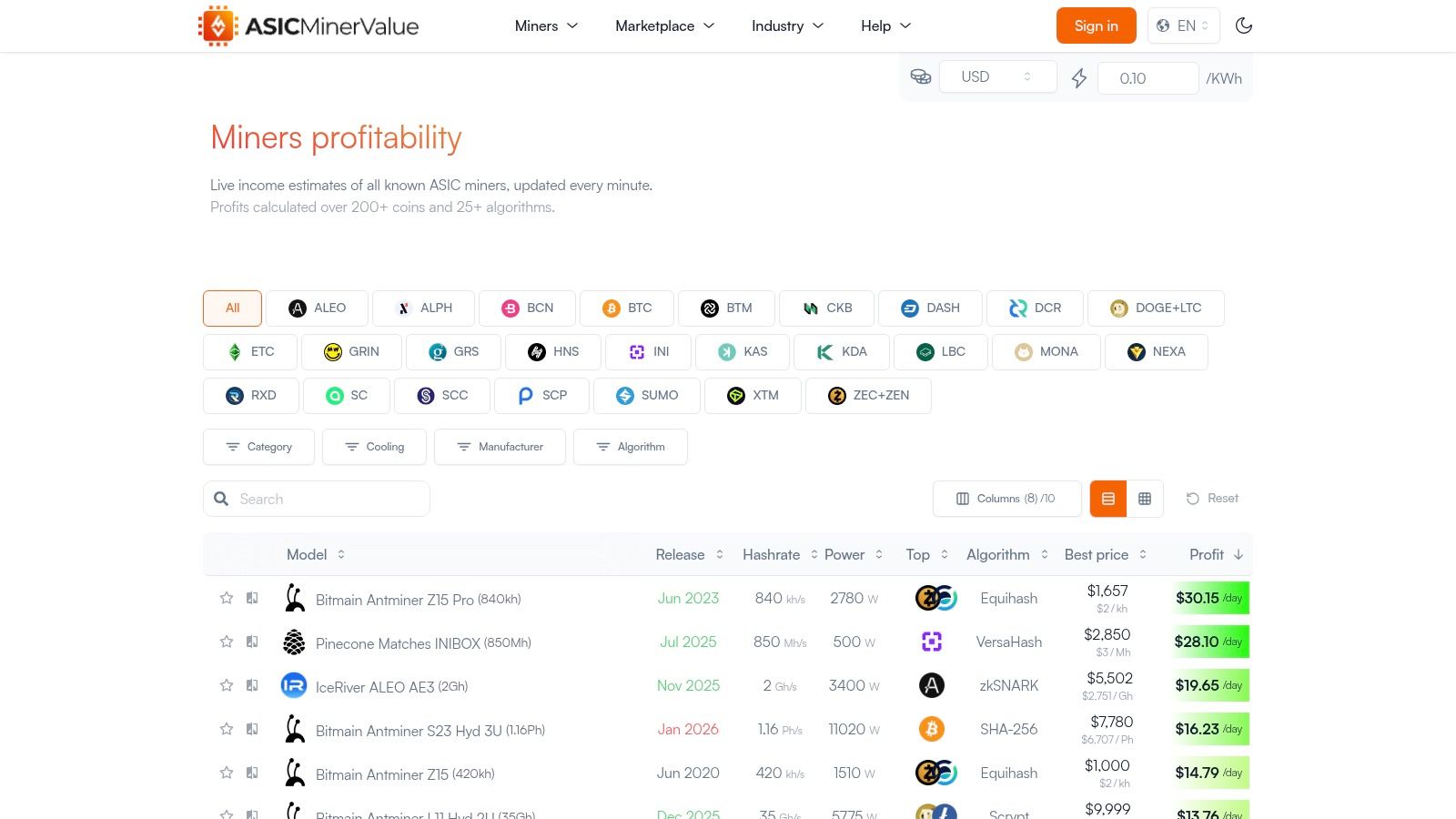
ASIC Miner Value is a specialized platform for live ASIC miner profitability rankings that combines detailed efficiency data with a vendor marketplace view and educational resources. It helps ASIC and GPU miners find the most profitable crypto to mine by model and algorithm at a glance.
Overview
ASIC Miner Value displays a global table of ASIC models ranked by current profit per day, power efficiency, and best available price. Users can set their local currency and electricity cost to get personalized profitability metrics. The platform also links out to recommended pools, manufacturers, and sellers.
Learn more at ASIC Miner Value
Key Features
| Feature | Description |
|---|---|
| Global ASIC Profit Table | Real-time profit and efficiency data across major algorithms |
| Personalized Profit Calculator | Input $/kWh and fiat currency for tailored profitability estimates |
| Top Coin Recommendations | Suggests the most profitable coin per model with direct pool and vendor links |
| Industry Directory | Comprehensive list of pools, events, manufacturers, and learning resources |
Pricing and Access
- Free Access: All tables, calculators, and directories available without subscription
- No Downloads Needed: Fully browser-based, no software install required
- Vendor Links: Direct outbound links to multiple sellers; purchasing off-site
Pros and Cons
Pros
- One-Screen Comparison: View profit and efficiency for dozens of ASICs at once
- Balance Profit and Power: Efficiency ranking helps optimize for high electricity rates
- Integrated Links: Quick access to pools, manufacturer data, and vendor listings
Cons
- Vendor List Quality Varies: Off-site sellers require independent verification
- No Centralized Purchase: Users complete orders on external sites
- Limited GPU Data: Focused primarily on ASIC hardware
Practical Tips for Effective Use
- Keep your $/kWh and fiat currency settings updated to reflect cost fluctuations.
- Filter by efficiency when power rates exceed 10 cents per kWh to maximize net returns.
- Cross-check vendor prices with manufacturer sites for warranty and support details.
- Bookmark key ASIC models to monitor profitability trends over time.
Key Insight: Use the efficiency metric as a filter when power cost exceeds 10 cents per kWh to maximize net profit.
Conclusion:
ASIC Miner Value secures its #5 spot by offering a fast, transparent, and vendor-agnostic snapshot of ASIC profitability. Its blend of live data, efficiency metrics, and direct links makes it a valuable tool for miners and data center managers optimizing hardware purchases.
6. Amazon (U.S.)
Amazon (U.S.) is a leading online marketplace for purchasing ASIC miners, PSUs, network gear, and cables with U.S. logistics advantages. Its fast shipping, Prime‐eligible listings, and robust buyer protections make it an essential stop for miners seeking reliable hardware availability and warranty handling.

Overview
Amazon (U.S.) aggregates new and refurbished mining rigs from multiple sellers, letting you compare specs, price, and seller ratings in one place. Prime‐eligible items arrive in 1–2 days, backed by Amazon’s A-to-Z Guarantee and clear return policies. Customer Q&A and reviews often reveal real-world noise levels, power draw issues, or restocking fees before you commit.
Learn more about Amazon (U.S.) purchasing options in our Bitcoin mining guide on miningpoolstats.net
Key Features
| Feature | Description |
|---|---|
| Wide Hardware Selection | ASIC miners, power supplies, cables, network switches from top brands |
| Prime‐Eligible Fast Shipping | 1–2 day U.S. delivery plus free shipping on Prime‐qualified orders |
| Buyer Protection & Returns | A-to-Z Guarantee, clear restocking fee disclosures, easy returns |
| Reviews & Q&A Insights | Community feedback on noise, heat, real power draw, warranty claims |
Pricing and Access
- Variable Pricing: Sellers often price above MSRP; watch for lightning deals
- Free or Discounted Shipping: Prime members save on weighty PSUs and chassis
- Account Requirement: Amazon account needed for checkout and tracking
- Return Window: Typically 30 days with restocking fees outlined per listing
All purchases are browser-based; no special API or downloads required.
Pros and Cons
Pros
- U.S. Logistics: Fast domestic delivery reduces downtime
- Strong Buyer Protection: A-to-Z Guarantee covers misrepresented items
- Unified Search: Compare multiple sellers and models side by side
Cons
- Price Premiums: Secondary sellers often list above direct MSRP
- Seller Quality Varies: Need to vet ratings and feedback closely
- Restocking Fees: Some ASIC listings incur high return fees
Practical Tips for Effective Use
- Filter by Prime: Prioritize Prime‐eligible rigs to avoid long delays
- Read Q&A Threads: Community replies often note real power and noise data
- Compare Seller Ratings: Look for 4.5+ stars with 100+ reviews
- Check Return Terms: Note restocking fee percentages before ordering
Key Insight: Consider verifying seller return policy and warranty before finalizing high-value ASIC purchases to avoid surprise fees.
Conclusion:
Amazon (U.S.) earns its spot for miners who value fast domestic shipping, buyer protection, and a broad hardware catalog. Its transparent reviews and return framework help ensure you get the right ASIC model at a predictable total cost.
7. Newegg (U.S.)
Newegg (U.S.) is a leading electronics retailer that stands out for its dedicated crypto-mining category. Miners can browse ASIC listings from Goldshell, Bitmain, and other brands alongside accessories, all backed by clear U.S. shipping and return policies. Its consumer-friendly interface and multiple seller comparisons make it a go-to source for home and small-scale miners seeking reliable hardware.
Overview
Newegg’s mining section sorts dozens of ASIC and GPU rigs by algorithm, hashrate, power draw, and price. Each product page shows seller ratings, shipping estimates, and return windows. Frequent flash deals highlight compact home models, while category filters help you zero in on the exact specs you need.
Learn more on Newegg at https://www.newegg.com
Key Features
| Feature | Description |
|---|---|
| Algorithm & Brand Filters | Quickly isolate SHA-256, KAWPOW, Scrypt and more |
| Multi-Seller Listings | Compare prices, ratings, and shipping times across competing vendors |
| Spec-Rich Product Pages | View hashrate, power consumption, dimensions, and warranty details |
| Accessories & Parts | Power supplies, racks, fans, and surge protectors all in one place |
| U.S. Shipping & Return Policies | Clear terms, often free or expedited for Prime-like members |
Pricing and Access
- Price Range: Entry ASICs from $200 to $1,200, mid-range from $1,200 to $4,000
- Shipping: Standard, Expedited, or Premier (free on orders over threshold)
- Returns: 30-day return policy with prepaid label for defective units
- Account Requirement: Free account needed to view seller ratings and add items
Pros and Cons
Pros
- Strong U.S. Presence: Faster delivery and better customer service
- Inventory Breadth: Frequent restocks for compact and home-friendly models
- Transparent Listings: Detailed specs plus user and seller reviews
- Easy Comparisons: Side-by-side pricing across sellers
Cons
- Fluctuating Stock: Popular ASICs may sell out quickly
- Pricing Volatility: Third-party sellers can mark up hardware
- Limited High-End BTC Units: Fewer flagship models than specialty vendors
Practical Tips for Effective Use
- Filter by Algorithm First: Narrow down to rigs that match your coin’s hashrate profile.
- Check Seller Ratings: Focus on sellers with 4.5+ stars and detailed feedback.
- Leverage Newegg Premier: Free expedited shipping on heavy orders can reduce downtime.
- Monitor Daily Deals: Clearance and refurbished units often appear in the daily deals section.
Key Insight: Buying from Newegg means faster restock alerts and clear warranty terms, making it easier to replace or upgrade hardware without international shipping delays.
Conclusion:
Newegg (U.S.) earns its spot for miners who prioritize fast shipping, clear return policies, and a broad selection of small-to-mid ASICs. Its multi-seller format and spec-rich listings help you make data-driven purchasing decisions to maximize mining uptime and profitability.
Most Profitable Crypto to Mine — 7-Source Comparison
| Tool | Implementation complexity 🔄 | Resource requirements ⚡ | Expected outcomes 📊 | Ideal use cases 💡 | Key advantages ⭐ |
|---|---|---|---|---|---|
| WhatToMine | Low — simple web calculator | Low — no install | Snapshot profitability ranking; subject to price/difficulty | Baseline coin/algorithm discovery | Broad coverage; transparent inputs |
| NiceHash | Medium — web + client | Medium — install miner | Marketplace-driven earnings; fees apply | Turnkey mining with auto-switch | Auto algorithm switching; hashrate marketplace |
| minerstat | High — full suite + OS | High — setup required | Multi-window analytics; automated switching | Professional farms, mixed fleets | Profit-switch; fleet management; filtering |
| CoinWarz | Low — per-coin pages | Low — web calculators | Quick ROI scenarios per coin/miner | What-if scenarios, ROI planning | Links profitability to miner models |
| ASIC Miner Value | Low–Medium — vendor links | Low — web access | Profit/day & efficiency shortlist for ASICs | ASIC shortlist, efficiency vs profit | One-screen ASIC comparison; pool/vendor links |
| Amazon (U.S.) | Low — marketplace flow | Medium — purchase cost | Fast delivery; buyer protection | Hardware sourcing with US logistics | Strong logistics; returns; buyer protections |
| Newegg (U.S.) | Low — retail listings | Medium — purchase cost | Good availability for small-to-mid ASICs; fluctuates | Home-friendly mining hardware purchases | Spec-rich listings; multiple sellers for comparison |
Your Next Steps to Maximize Mining Profits
After exploring the seven essential tools for identifying the most profitable crypto to mine, you now have a clear roadmap. Leveraging data from WhatToMine, NiceHash, minerstat, CoinWarz, ASIC Miner Value, Amazon, and Newegg delivers a 360-degree view of coin returns, hardware costs, and pool performance. Below are your most important takeaways:
- Key insights on algorithm efficiency and coin volatility
- Detailed ROI examples by hardware class and power cost
- Fee structure comparisons for top mining pools
- Risk caveats covering difficulty changes and token price swings
Action Plan
Benchmark Your Rig
- Record hash rate and power draw for each GPU or ASIC.
- Set your energy cost in tools like WhatToMine and CoinWarz.
Identify Top Coins
- Run profitability scans in WhatToMine and NiceHash daily.
- Cross-check outputs in minerstat to validate stability.
Select Mining Pools
- Compare fees and payout thresholds via MiningPoolStats.
- Prioritize pools with transparent payout histories and low variance.
Calculate ROI
- Use ASIC Miner Value for depreciated hardware pricing.
- Factor in delivery lead times when purchasing from Amazon or Newegg.
Automate and Monitor
- Deploy minerstat to manage multiple rigs, set custom alerts, and switch coins when thresholds hit.
- Back up configurations to avoid downtime.
Choosing the Right Tool
| Tool | Best Use Case |
|---|---|
| WhatToMine | Quick GPU/ASIC profitability snapshot |
| NiceHash | Instant hashpower market access |
| minerstat | Rig automation, alerts, multi-pool routing |
| CoinWarz | Historical difficulty and price analysis |
| ASIC Miner Value | Hardware ROI and second-hand market data |
| Amazon & Newegg | Hardware sourcing, shipping lead times |
Implementation Factors
When integrating these tools, pay attention to:
- Energy Price Fluctuations – Review your utility rates monthly
- Network Difficulty Trends – Adjust coin targets before difficulty spikes
- Pool Fee Models – Track effective fees after bonuses and rebates
- Payout Methods – Match pool payouts (PPS, PPLNS) to your cash flow needs
- Hardware Obsolescence – Plan upgrades around upcoming coin halvings
Next-Level Optimization
- Schedule profitability scans during low network load periods
- Use scripting with minerstat API to automate pool switching
- Track performance across multiple pools in a unified dashboard
- Leverage cloud-based monitoring for data center scale operations
Consult Our FAQ & Checklist
Before you power on your rigs, review our FAQ section at the end of this article. It covers low-competition keywords like “crypto mining profitability calculator,” “ASIC vs GPU mining returns,” and “best mining pool fees.” Use the checklist to verify hardware settings, pool configurations, and risk management protocols. This extra step ensures you launch with confidence.
By following these steps you can turn raw data into actionable decisions that boost your bottom line. Keep refining your parameters, monitor market signals, and stay ahead of difficulty changes. Embrace these tools, and you’ll be well positioned to mine the most profitable crypto at any given moment. Start implementing today, and let data guide you toward consistent, predictable mining returns.
Good luck, and may your rigs run efficiently for maximum gains!
FAQ
Q: What is a crypto mining profitability calculator?
A: A crypto mining profitability calculator estimates potential earnings by factoring in your hardware hashrate, power consumption, electricity cost, and coin-specific variables (difficulty, block reward, price). Tools like WhatToMine and CoinWarz excel at providing customized, real-time projections.
Q: How do ASIC vs GPU mining returns compare?
A: ASICs offer higher hashrate and efficiency for specific algorithms (e.g., SHA-256 for Bitcoin), leading to greater daily profits but less flexibility. GPUs are versatile across multiple coins but typically yield lower absolute returns. Use ASIC Miner Value for ASIC ROI and WhatToMine to compare GPU options.
Q: What are the best mining pool fees?
A: Look for pools charging 1%–1.5% fees with transparent payout methods (PPS, PPLNS). Lower fees matter more for small operations, while enterprise rigs may prioritize stability over marginal fee differences. Consult MiningPoolStats for current pool fee comparisons.
Q: Which coin is the most profitable to mine right now?
A: Profitability shifts daily. Check live scans in WhatToMine and NiceHash, then validate stability in minerstat’s median reward views. Top contenders often include Ethereum Classic (ETHW), Ravencoin (RVN), and Bitcoin Cash (BCH) under typical GPU/ASIC setups.
Q: How do I choose the right crypto mining profitability calculator?
A: Match your needs:
- Quick snapshots: WhatToMine or CoinWarz
- Automated switching: NiceHash or minerstat
- ASIC-focused ROI: ASIC Miner Value
Evaluate interface simplicity, time-window analytics, and customization options when selecting your calculator.
Q: Can I trust marketplace-based profitability estimates?
A: Marketplace tools like NiceHash reflect live bid/ask dynamics, offering realistic earnings but include fees (2%–3%). Always cross-check with direct pool calculators to account for your unique hardware tuning and downtime.
Q: What factors should I monitor for long-term profitability?
A: Track network difficulty, upcoming coin halvings, electricity price changes, hardware depreciation, and pool fee adjustments. Regularly updating inputs in your chosen calculators ensures you stay aligned with evolving market conditions.